Houdini KineFX Simple Retargeting Variations
25 May 26 (5mo ago)
- Motion clip something maybe.
- FBX Character Import (Combination of FBX Skin Imporot + FBX Animation Import)
- In the olden days, it would be Scene Character Import if you are using Houdini's native object level rigging toolset, which was already superseded by Kinefx Rigging Toolset (i.e. SOP level rigging)
- FBX Animation Import
- Rig Match Pose Node (Hit
Enterto enter to its interactive state) - Do not translate or scale the skeleton joints you see in the Rig Match Pose state.
- Map Points SOP (Hit
Enteragain to see the node state )- Physical Full Body IK solver, then that solver prefers a sparse mapping.
- FABRIK solver, then that solver prefers a dense mapping.
- Fully Body IK SOP
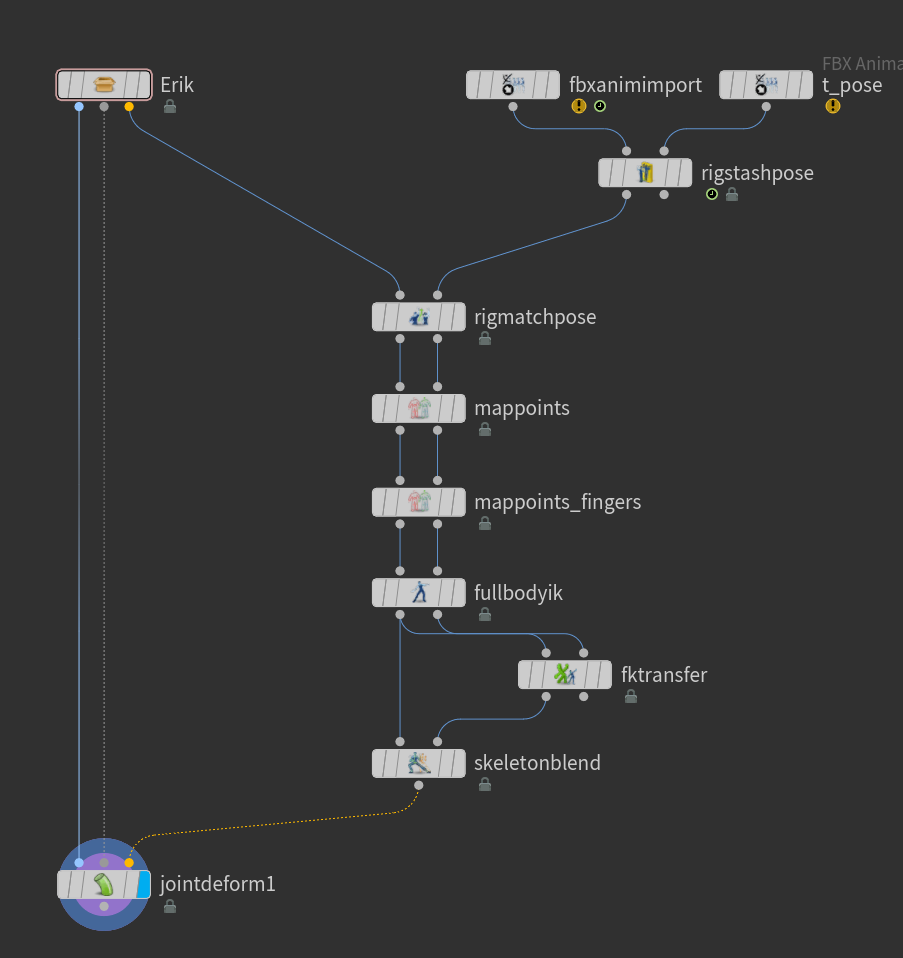
- FK Transfer. Might be better compared to Full Boody IK SOP when there is a need of direct translation of joints. Like fingers. There is no need for IK solver for that one.
- FBX Animation Improt > Motion Clip > Motion Clip Evaluate > Bone Deform
- FBX Animation Import > Motion Clip > Motion Clip Blend >Motion Clip Evaluate>Motion Clip Cycle
- FBX Animation Import > Extract Locomotion
- Motion Clip Sequence>motion Clip Evaluate wher eyou want to blend from beginning to end
- Workflow
- ssss
- Mocap Configuration Mapping
I keep forgetting how to set-it up, so here's a quick reference.
Retargeting Scenarios
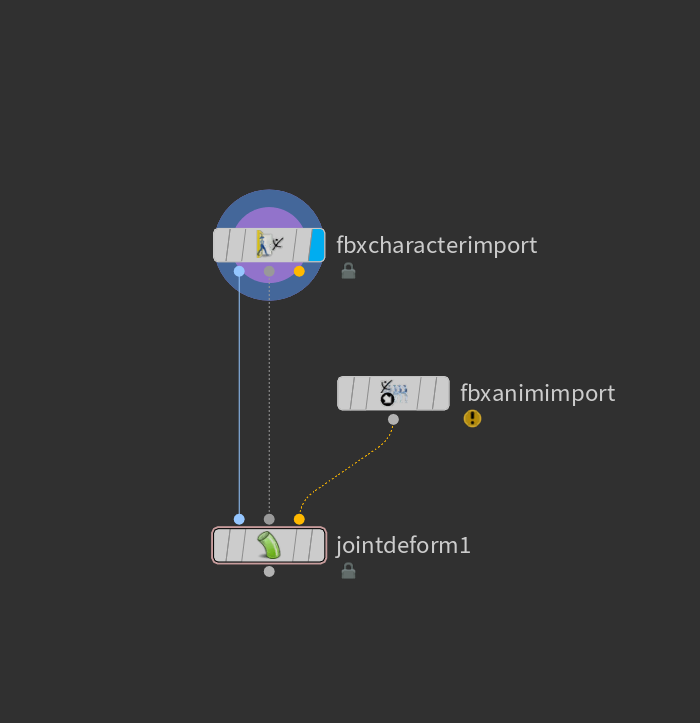
Retarget With Same Skeleton
This would be the best case scenario where your skeleton matches your mocap such as using mixamo characters with the mixamo animation.
Retarget With Different Skeleton
For the most part, you will have to deal with different skeleton and animation skeleton.
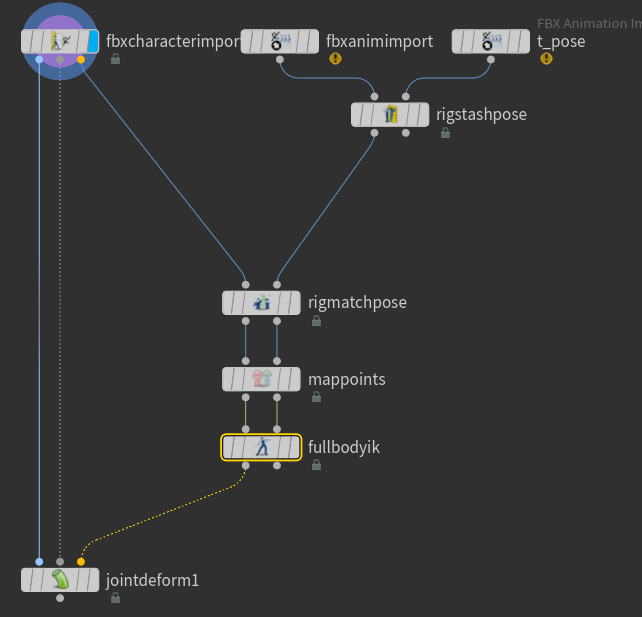
Retarget With Different Skeleton
To get a stable Full Body IK Behavior, keep the mapping to the bare minimum such as the wrist, shoulder, hips, ankle etc. For the fingers, it would be best just to use a simple FK transfer of the source and target skeleton.
Note that there is two mapping attributes. One for the Full Body IK and the other is for FK Transfers
Mocap Resources
- bandai namco mocap
- http://www.jeroenvanboxtel.com/MocapDatabases.html
- http://www.cgspeed.com/
- https://sites.google.com/a/cgspeed.com/cgspeed/motion-capture
- Mocap AI (https://www.rokoko.com/products/vision)
- Free for one camera source.
- Needs a lot of clean up but still helps on initial blocking